
Turn your iPhone voice memos into text you can use

Save the memo out of Voice Memos and import it. What comes back is the words split by speaker, a summary in the format you pick, and a note you can ask questions of.

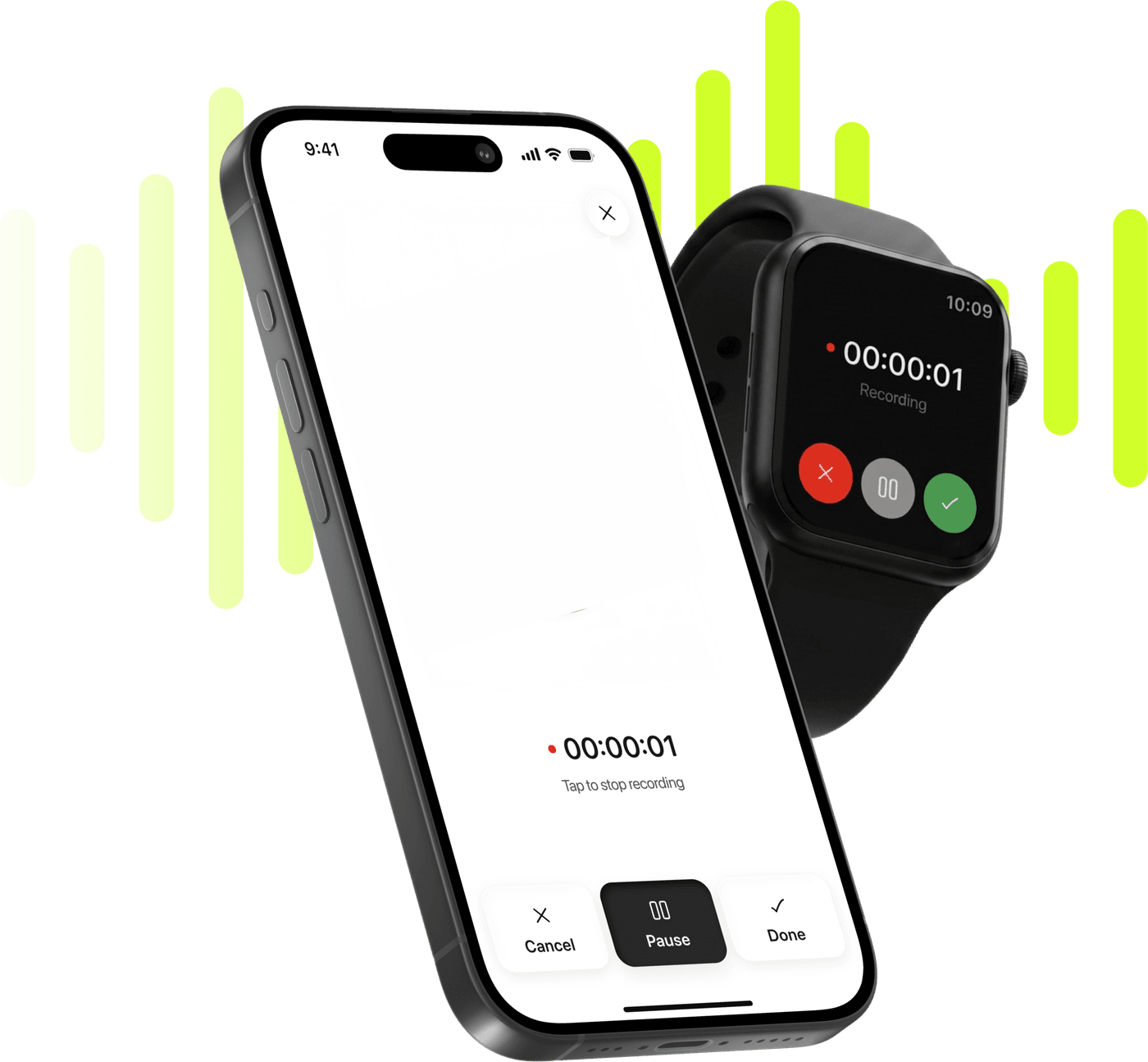
Limemo recording on an iPhone and on an Apple Watch, over a lime sound wave

Start taking smarter notes today

Record, transcribe and summarize on iPhone and Apple Watch.

Coming soon

Free to try. Cancel anytime. *

  • Apple Watch app
  • 99+ languages
  • Encrypted in transit and at rest

Why a voice memo stays a voice memo

  • A voice memo is audio: to find one sentence in it you listen to the whole thing.
  • You paste it into a chat tool for a summary, and now the text is in one place and the audio is in another.
  • A forty-minute memo you meant to come back to is a forty-minute memo you never came back to.

How to turn a voice memo into text, in four steps

  1. Get the memo out of Voice Memos

    Open the memo, tap Share and choose Save to Files. Limemo imports from Files — there is no share extension and no access to your Voice Memos library, so this step is yours.

  2. Import it into Limemo

    Tap +, choose to import a file and pick the memo. Voice Memos saves m4a, which the picker takes without any converting.

  3. Read it split by speaker

    Every recording goes through speaker identification, so a conversation normally comes back with the voices marked separately — and you can put real names on them.

  4. Summarize, ask, export

    Memo is the format built for exactly this. Then ask the note a question, translate the summary, or export it as PDF or plain text.

Which summary format fits a voice memo

Memo is the format for a document written to be forwarded. It reads as something written on purpose rather than as the residue of you talking into a phone in a car park.

  • The point, stated

    What this memo was actually about, in a sentence, at the top — which is the thing you wanted when you recorded it.

  • The detail, ordered

    The substance arranged as a document rather than in the order it fell out of your head.

  • What you said you would do

    The half-sentence commitments that are the whole reason people record memos to themselves.

Brief is the alternative when you only want to know whether the memo still matters, and Custom takes plain instructions if you have a habit — "pull out anything that sounds like a task".

On a four-minute memo recorded on a walk, the three parts arrive like this. The point: the sign-up flow asks for too much before anyone sees the app do anything. The detail: the first screen wants a workspace name and a team size, both of which can be filled in later, and the reason for asking early was a report nobody reads now. What you said you would do: take the two fields out of the first screen, and look at where people drop off before changing anything else.

Three things Limemo does with a memo

A memo becomes useful when the text does more than repeat what you said. These are the three gaps people hit, and they are the reason a memo ends up in Limemo.

Telling two voices apart

Limemo runs speaker identification on every recording, so a memo of a conversation (a quick chat with a colleague, a meeting you recorded on your phone) normally comes back with the voices marked separately — and you can rename them to real names once per note.

A summary in a shape you chose

Limemo has seven formats: Brief, Executive, Key KPIs, Memo, Standard, Study, and Custom for your own written instructions. Switching between them rewrites from the same transcript.

Asking the recording a question

Limemo gives every note a chat that answers from that note’s transcript, with four suggested questions to start from.

The full comparison has the rest.

About recording new ones

If you are importing memos regularly, the import stops being the right habit. Recording in Limemo directly skips the save-and-import step entirely: press record, and the note is the note — with speaker labels and a summary waiting when you stop. Recording and transcribing on iPhone is that flow.

And for the memos you record because you are walking somewhere and cannot get the phone out, there is the watch. Start on your wrist, keep walking, and the recording arrives on your iPhone as the same kind of note. Recording on Apple Watch covers what happens up there and what waits for the phone.

What the import actually involves

Two steps, and only the first one is manual.

Limemo never reads another app’s library — no share extension, no automatic pickup — so the memo moves because you moved it: Share, then Save to Files, in Voice Memos itself. After that the import is a file picker, and Voice Memos writes m4a, which Limemo’s picker already accepts.

One file per import, so five memos are five notes — each with its own summary and its own speaker names. Importing Voice Memos into Limemo is the step-by-step with the failure cases, and how to transcribe a voice memo on iPhone compares this route against the alternatives.
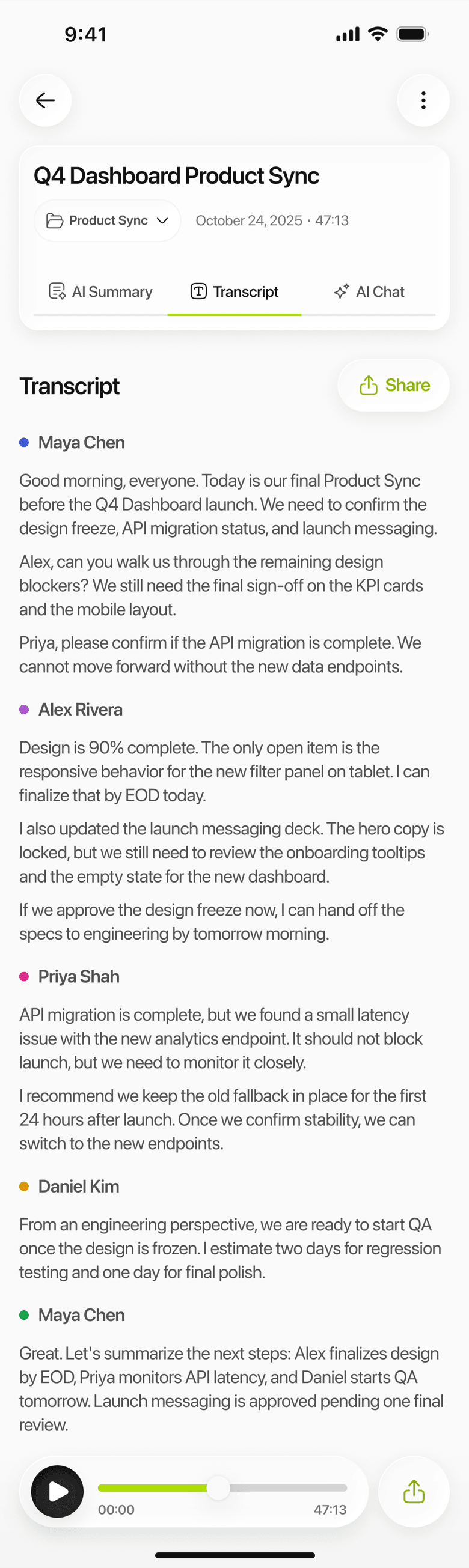
Limemo on iPhone: a recording turned into a transcript with a label for each speaker

Frequently asked questions

Can I transcribe memos I recorded years ago?

Yes. Age makes no difference — a memo from four years ago imports exactly like one from this morning. The practical limits are the ones you would expect: the file has to be on the phone or in a cloud drive that Files can reach, and if it is in iCloud but not downloaded, tap it in Files first.

Does Limemo keep the original audio?

Yes, and it stays with the note. The recording is kept both on your device and on Limemo's servers, so the audio and the words live together — you can play it back or share the file itself. Where your recordings are stored covers the detail.

Which languages can it transcribe?

99+, and the language is detected from the recording rather than set by you. The summary can be translated separately into one of twelve languages. Which languages Limemo transcribes and translates keeps the two apart.

Is the transcript private?

Your recordings, transcripts and summaries are encrypted in transit and at rest, and can be deleted at any time. How Limemo handles your recordings has the detail.

What does it cost after the free trial?

There is a trial and then a subscription, billed through the App Store. The pricing page has the plans, the interval and how to cancel.

See plans and start your free trial

Coming soon