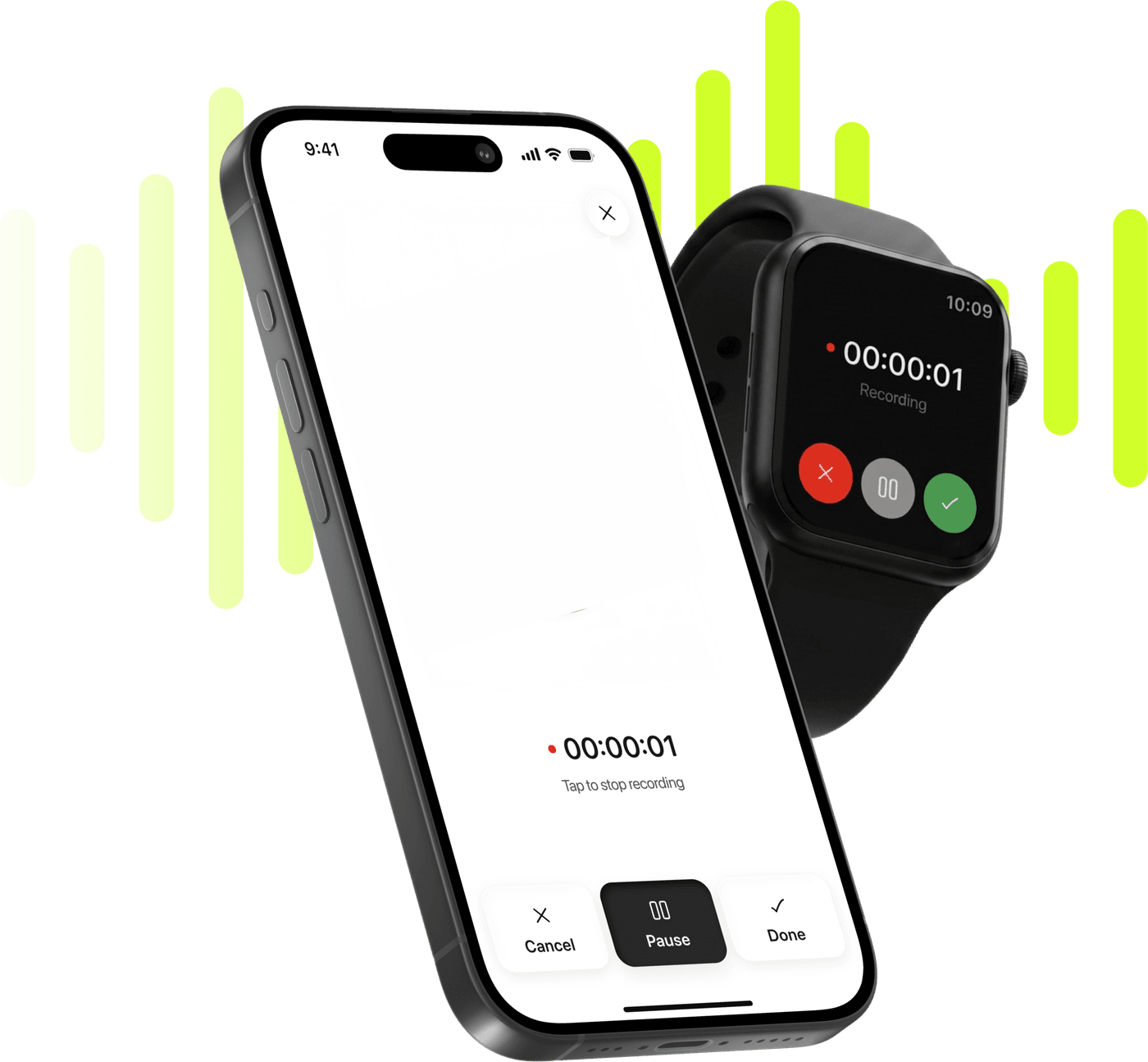

Meeting notes without inviting a bot

Your iPhone on the table, or a tap on your watch. Afterwards: the transcript split by speaker, and minutes in the Executive format with the decisions at the top.

Limemo recording on an iPhone and on an Apple Watch, over a lime sound wave

Start taking smarter notes today

Record, transcribe and summarize on iPhone and Apple Watch.

Coming soon

Free to try. Cancel anytime. *

  • Apple Watch app
  • 99+ languages
  • Encrypted in transit and at rest

What an AI meeting note taker is up against in a real room

  • A bot in the call needs IT approval you are not going to get, and calendar access you would rather not give.
  • Half your meetings are across a table anyway — a client session, a site visit, a walk-and-talk — where there is no call to join.
  • You take notes, and while you are writing you stop listening. One of the two jobs always loses.
  • By Friday the action items are in your head, and by Monday one of them is not.

How to record and transcribe a meeting, in four steps

  1. Press record, and say that you are

    Phone on the table, or start it from your Apple Watch if the phone is in your bag. Tell the room you are recording — it takes four seconds and it is the right thing to do.

  2. Get the transcript, name the voices

    The note comes back split by speaker as Speaker 1 and Speaker 2. Rename them once and the whole transcript reads as a conversation between people.

  3. Take the Executive summary

    Executive is built around what was decided and who is carrying it. Brief if you only need a recap, Key KPIs if the meeting was numbers.

  4. Send it where the meeting lives

    Export the summary as a PDF or plain text and hand it to Mail, Slack, Teams, Notion or Files through the iOS share sheet.

Which summary format fits meeting minutes

Executive is the format to reach for when somebody who was not in the room has to act on what happened in it. It is organised around outcomes rather than around the order things were said in.

  • Decisions first

    What was actually settled, at the top, where a reader who opens the file for eleven seconds will see it.

  • Owners and commitments

    Who said they would do what. This is the part that is in your head on Friday and gone on Monday, and it is the reason to send minutes at all.

  • Open questions

    What was raised and not resolved — the agenda for the next conversation, written while everyone still remembers it.

  • Context, kept short

    Enough background that the decisions make sense to someone who was not there, and no more than that.

Switching format rewrites from the same transcript, so a meeting you summarized as Brief can become Executive minutes a week later. The new summary replaces the old one, though — edits, ticked action items and translations go with it — so choose the format before you edit.

On a fifty-minute client session the summary arrives as Key Takeaways and then Action Items. Takeaways: the client approved the revised scope and moved the launch to 3 October; the extra integration was accepted without a change to the budget; who signs off the data-migration plan was raised and left open. Action items: Priya: Send the revised scope document to the client by Wednesday. Tom: Confirm the new launch date with their marketing team. Nadia: Draft the data-migration plan and name a signatory.

A meeting day, start to finish

9:30, client session. Phone face-down on the table, recording. You say “I’m recording this so I don’t have to take notes” and nobody blinks. For fifty minutes you do the thing you are being paid for, which is listening. When it ends you stop the recording and put the phone away.

12:40, a 1:1 over lunch. No table to put a phone on, and taking one out mid-conversation would change the conversation. You start it from your watch instead, and it arrives on your phone as the same kind of note when you are back within range.

15:00, workshop. Four people, ninety minutes, a whiteboard. The recording is long and the transcript is long, which is exactly when speaker labels stop being a nicety: you rename the four voices once, and the argument about scope reads as an argument between people instead of a wall of text.

17:30, twenty minutes before you go home. Three notes, three Executive summaries. The client one goes to the client. The workshop one goes into the project channel. And for the question you cannot quite answer — did they commit to the date or say they would check? — you ask the note instead of scrubbing ninety minutes of audio.

What this is

A recorder that gives you minutes. Press record in the room you are in, get the words back split by voice, and choose the shape of the document you send on.

Limemo records that room rather than joining Zoom, Google Meet or Teams calls, and asks for no calendar access.

What it does cover is the online meeting you did record: save the file out of the platform and import the video. You get the same transcript and the same summary formats; the only difference is that the file came from somewhere else.

A recording is never lost. A phone call coming in pauses it and it picks up again, sometimes after a tap; a full disk ends a recording of ten seconds or more with a save; a failed upload leaves it on the main screen to try again. Ninety minutes of workshop is not a thing you want to re-run.

The small things that decide it in practice

Nothing to set up before a meeting. No invite, no link, no admin. The gap between deciding to record and recording is one tap, which matters when the decision gets made as you sit down.

The watch is not a gimmick here. The meetings where a phone on the table would be wrong — a walk, a corridor, a lunch — are exactly the ones you would otherwise write up from memory. Recording on Apple Watch covers what happens on the wrist and what waits for the phone.

The transcript is fixed, the summary is yours. The transcript is written once and stays as the record of what was said. The summary you can rewrite before it goes out, and undo if the rewrite was worse — which is the right way round for something you are about to send to a client.
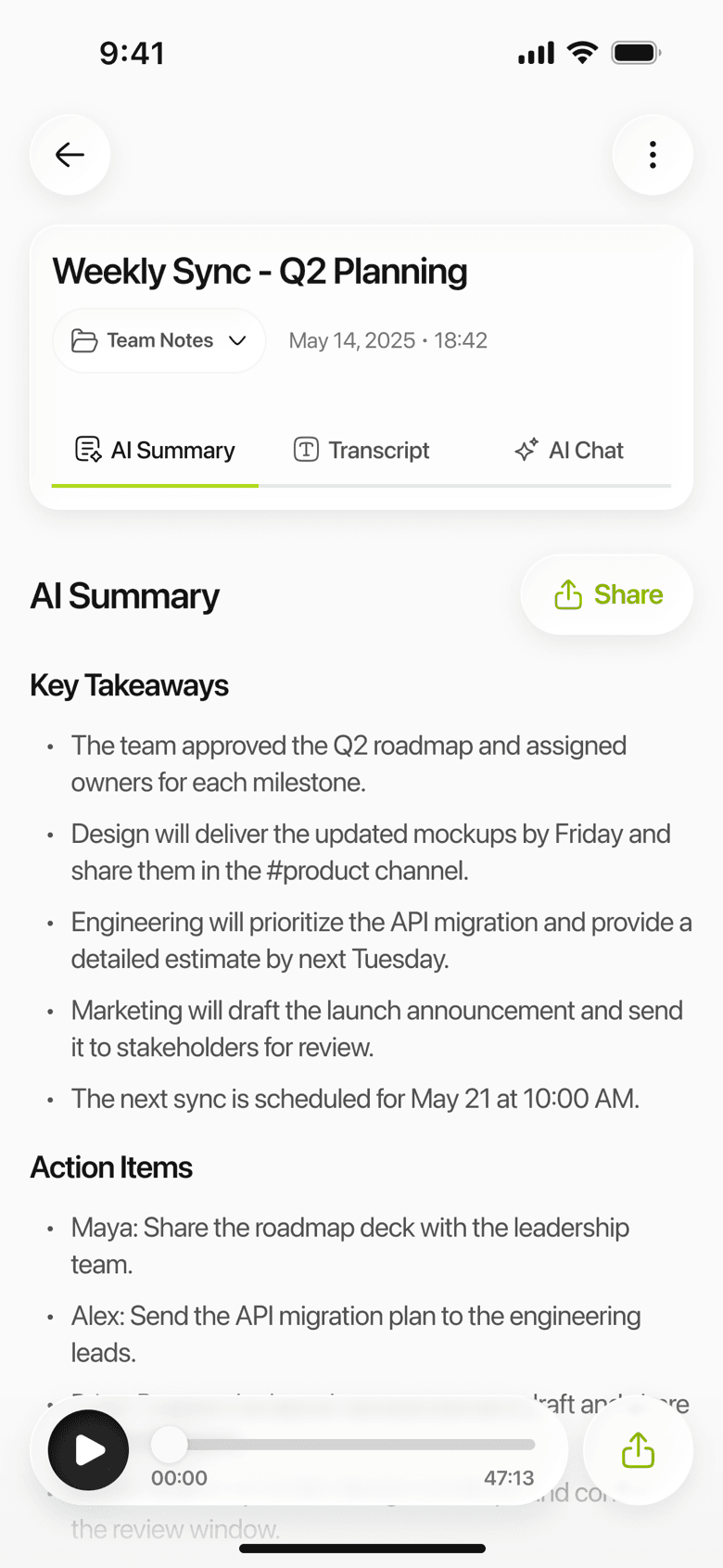
Limemo on iPhone: a meeting summary listing key takeaways and the action items each person owns
What a 47-minute meeting looks like once it is a document.

Frequently asked questions

Does Limemo join Zoom, Google Meet or Teams calls?

No. Limemo has no meeting bot and does not join calls. It records the room you are in, from your iPhone or your Apple Watch. If a call was recorded by the platform, save that recording out of Zoom, Teams or Meet and import the file — a recorded meeting goes in the same way any video file does.

Do I need to tell people I am recording?

Tell the room. Say it out loud before you start — it takes four seconds, it is on the recording, and almost nobody objects when they are asked rather than discovering it later. Recording law varies by country and, in the United States, by state; this is not legal advice, so check the rules where you are before recording anything sensitive. [Confirm with counsel which recording-consent reference this answer should link to, before publishing.]

Can it tell who said what?

It separates the voices and marks them as Speaker 1, Speaker 2 and so on. It does not know who anybody is — naming them is one action per note, and once you have done it the names apply to the whole transcript.

Can I get the minutes in another language?

Yes. The summary can be translated on its own, so a meeting held in one language can be sent out as minutes in another, while the transcript stays in the language it was spoken in.

What does it cost after the free trial?

There is a trial and then a subscription, billed through the App Store. The pricing page has the plans, the billing interval and the cancellation path.

See plans and start your free trial

Coming soon