
Interview transcription with speaker labels you can put a name to

Record across the table, or bring in the file from your recorder. The two voices come back separated, you name them once, and the audio stays beside the words for the day somebody disputes a quote.

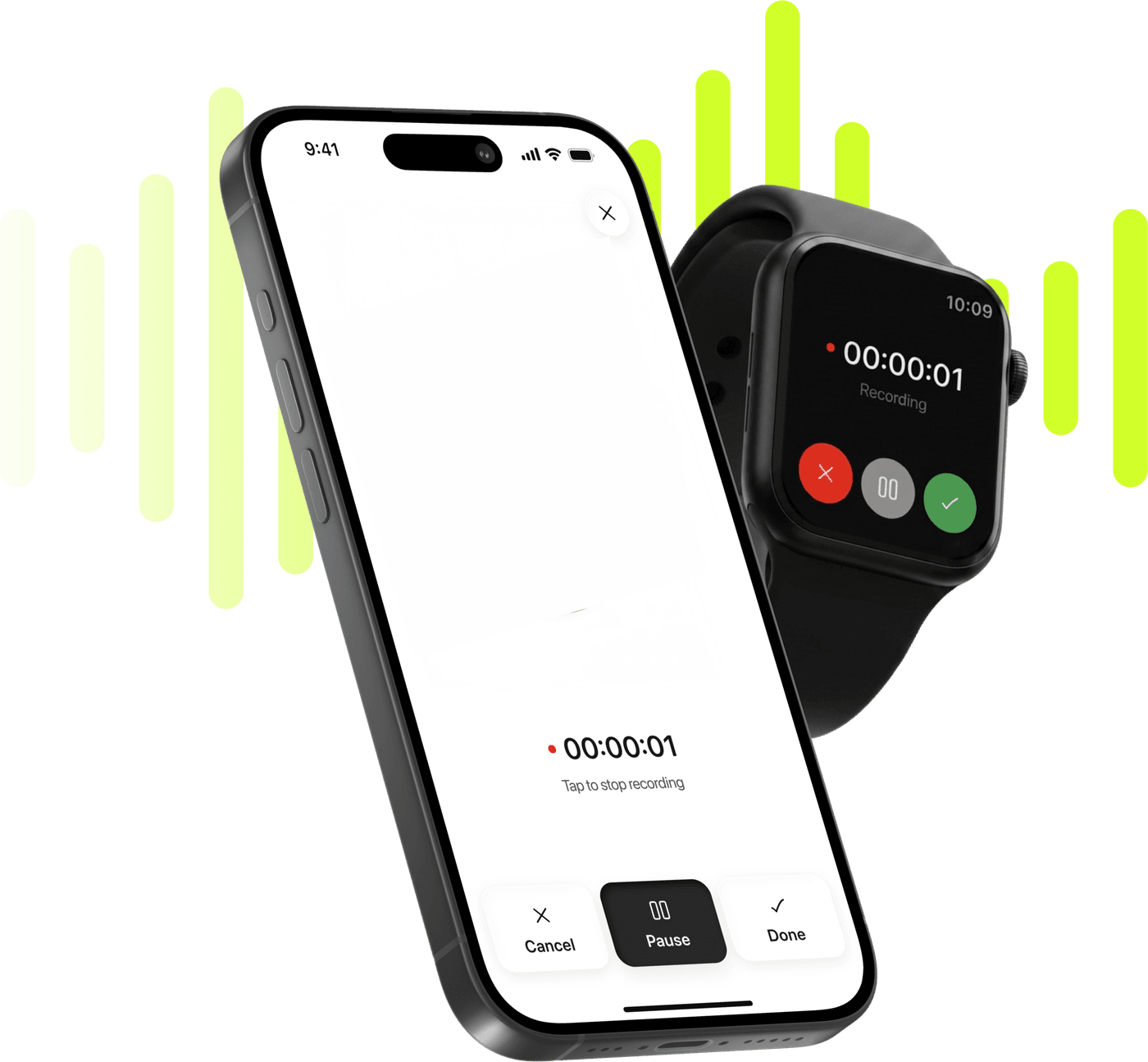
Limemo recording on an iPhone and on an Apple Watch, over a lime sound wave

Start taking smarter notes today

Record, transcribe and summarize on iPhone and Apple Watch.

Coming soon

Free to try. Cancel anytime. *

  • Apple Watch app
  • 99+ languages
  • Encrypted in transit and at rest

Why transcribing an interview takes longer than the interview

  • An hour of audio for three quotes, and the three quotes are somewhere in the middle of it.
  • A transcript that says Speaker 1 and Speaker 2 all the way down is a transcript you still have to read twice.
  • The recorder file is on your desk and the deadline is on your phone.
  • When a quote is challenged, the only thing that settles it is the original audio.

How to transcribe an interview on your iPhone, in four steps

  1. Record it, or import it

    Across the table, put the phone down and press record. If you used a dedicated recorder, save the file to Files and import it — either route ends in the same kind of note.

  2. Name the voices, once

    The transcript arrives as Speaker 1 and Speaker 2. Rename them and the whole thing reads as a conversation between people — and the names apply to the whole transcript.

  3. Summarize the way the piece needs

    Standard keeps the shape of the conversation. Custom takes plain instructions — list every quote about the pricing change — which is usually what an interview actually needs.

  4. Find the quote, keep the audio

    Ask the note where a topic came up instead of scrubbing. Export the transcript as TXT or PDF for the editor; the recording stays in the app.

Which summary format fits an interview

Standard is the format for an interview, because an interview is not a meeting with decisions in it — it is somebody talking, and what you need back is the shape of what they said rather than a list of outcomes.

  • The thread of the conversation

    In the order it happened, so you can see how they got from one answer to the next — which is often the story.

  • The claims, kept whole

    What they actually asserted, rather than a compressed paraphrase you would not want to quote from.

  • The turns that mattered

    Where the conversation changed direction, which is where the usable material tends to be.

Custom is the other one worth trying on an interview: "list every quote about X, with who said it" gets you a working document in one pass. The instructions stay with the note.

On a fifty-minute interview the summary follows the conversation instead of flattening it. The thread: Daniel opened with the decision to move manufacturing back in 2023, went through the two years of supplier failures behind it, and closed on what the move cost in headcount. The claims: he said the switch added eleven weeks to the first production run, and that the second run shipped on schedule. The turns: the conversation changed when he was asked who had argued against it.

An interview day, start to finish

10:00, in person. Phone on the table between you, recording. You tell them it is recording, which you were going to do anyway. You ask your questions and you do not write anything down, which is the single biggest change: an interview where you are not taking notes is a better interview.

14:00, a file from somewhere else. The morning’s other interview happened on a call and the platform recorded it. You save that file into Files, import it, and forty minutes of audio joins the same list as the one you recorded yourself. Same transcript, same speaker labels, same formats.

17:00, writing. Now the transcript is the tool. You rename the voices to real names so the document reads properly. You ask the note where they talked about the pricing change, and it tells you rather than making you scrub. You take a Custom summary — every quote about pricing, with who said it — and paste that into your draft as a working list.

Later, when it matters. A quote gets challenged. The audio is still there, beside the words it became. That is the whole reason the recording is kept rather than discarded after transcription.

The two things this is actually for

Telling the voices apart. An interview is two people and a transcript that cannot tell them apart is half a transcript. Speaker identification runs on every recording, so a two-voice conversation normally comes back marked as Speaker 1 and Speaker 2 — then you name them, once, and the document is readable by somebody who was not there.

Keeping the audio. The transcript is written once and never rewritten, and the recording stays beside it. For a meeting that is a nicety. For an interview it is the job: the moment a subject says I never said that, the thing that settles it is the recording, not a text file that could have been edited by anyone.

A recording is never lost. An interruption pauses it and it picks up again, sometimes after a tap; a full disk ends a recording of ten seconds or more with a save; a failed upload leaves it on the main screen to try again. An interview is not a thing you can re-run.

Two routes in, one kind of note

Some interviews you record on the phone. Some arrive as files — from a dedicated recorder, from a call platform, from a colleague. Both end in the same place.

Recording and transcribing on iPhone is the first route, and it is what most in-person interviews want: one tap, phone on the table, nothing to set up. Importing an audio file you already have is the second, and it takes what your recorder produced — one file per import, so five interviews are five imports.

Limemo does not join a call or record a phone line. If your interviews happen on the phone, the call platform’s own recording is what you import afterwards.

What it gives an interview

A subject says the thing at minute forty. You do not scrub for it — you ask the note where they said it, and the audio is one tap under the line to check it against.

Two voices told apart, names you set once, a summary in the shape you chose. An export is speaker name and then speech, under a line giving the date the note was created — a document you can quote from and hand to an editor.
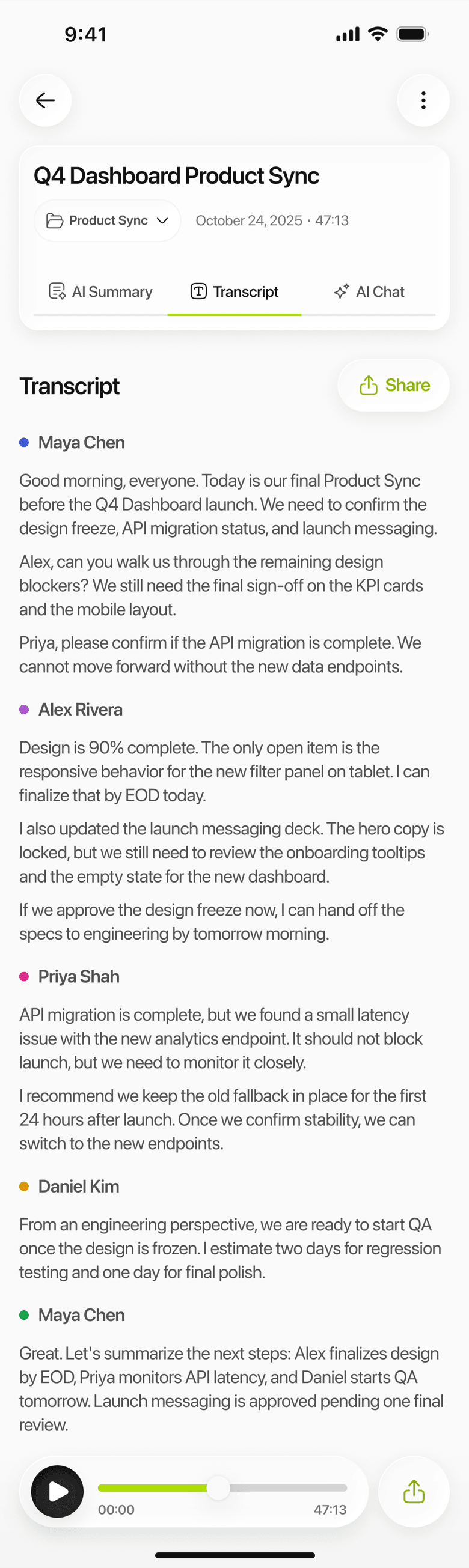
Limemo on iPhone: an interview transcript with a color-coded label for each speaker
Who said what, separated — which is the part an interview lives on.

Frequently asked questions

Can I record a phone interview or a Zoom interview?

Not as it happens. Limemo does not join Zoom, Teams or Meet calls — it has no bot. What works is the recording made afterwards: if the platform recorded the call, save that file and import it, and you get the same transcript and the same speaker labels. For a phone interview, the practical answer is to record the room on speakerphone, with everyone's agreement.

Can I rename Speaker 1 and Speaker 2?

Yes, and it is one action per person rather than per line. Open Edit Speakers, put in the real names, and every segment of that voice takes the name at once. The names apply to the whole transcript.

How accurate is the transcript?

The voices are separated so you can follow who said what, the names are yours to set, and the audio stays beside the transcript so anything you are going to print can be checked against the recording in a tap. Background noise is not removed — a noisy room reads like a noisy room.

Is the original audio kept with the transcript?

Yes. The recording is kept both on your device and on Limemo's servers, and it stays with the note — which is the point for an interview. Where your recordings are stored has the detail, and Share Audio hands you the file itself whenever you need it.

Is my interview private?

Your recordings, transcripts and summaries are encrypted in transit and at rest, and can be deleted at any time. How Limemo handles your recordings says what is encrypted and where the transcription and summarizing actually happen.

See plans and start your free trial

Coming soon