Record the lecture on your iPhone. Study the summary.

Start recording when the lecturer does. Afterwards you get a transcript with speaker labels and a Study summary: key concepts, definitions, examples and review questions.

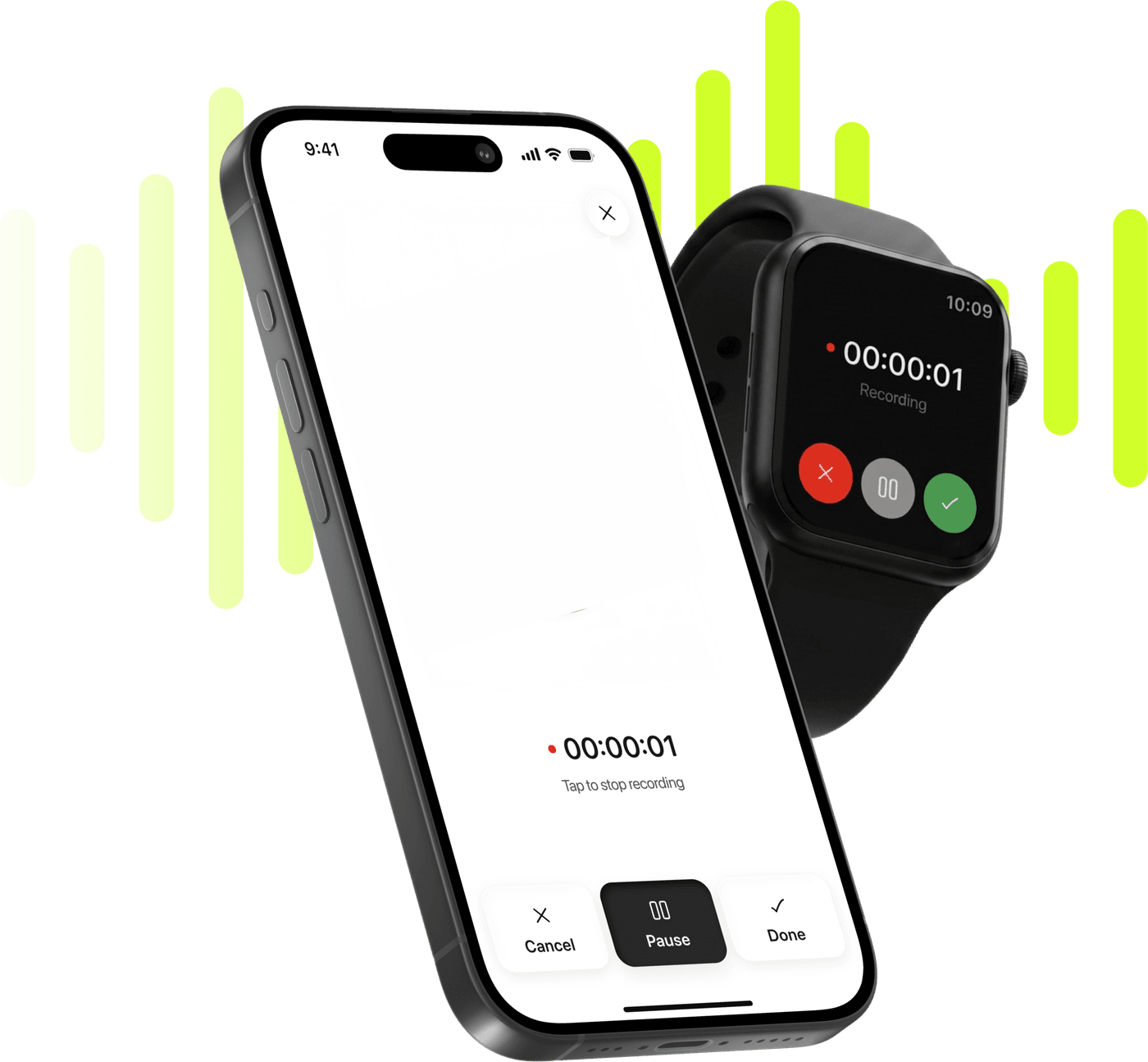
Limemo recording on an iPhone and on an Apple Watch, over a lime sound wave

Start taking smarter notes today

Record, transcribe and summarize on iPhone and Apple Watch.

Coming soon

Free to try. Cancel anytime. *

  • Apple Watch app
  • 99+ languages
  • Encrypted in transit and at rest

Why lecture notes never keep up with the lecture

  • You write down one sentence and miss the next two while you are still writing.
  • The recording sits on your phone at 50 minutes and you never re-listen to it.
  • Half the course is recorded video and the readings are PDFs, none of it in your notes.
  • Exam week: you need the definitions and the examples, not the whole recording again.

From lecture to study notes in four steps

  1. Record in class, or from your Apple Watch

    Put the phone on the desk and press record. In a seminar you can start from your Apple Watch instead; the recording lands on your iPhone as a note.

  2. Read the transcript with speaker labels

    The note gets a transcript with speaker labels, so the lecturer and the questions from the room stay apart.

  3. Choose the Study summary format

    Pick Study and the summary comes back as key concepts, definitions, examples and review questions instead of a wall of text.

  4. Ask the AI to quiz you, or explain a passage

    Ask anything about the recording: what a term meant, which example the lecturer used, or for questions to test yourself with.

Recommended format: Study

Study is one of the seven summary formats, and it is the one written for material that was taught rather than discussed. Ask for it on a lecture recording and the summary comes back in four parts.

  • Key concepts

    The ideas the lecture was actually about, in the order they were introduced, so the summary follows the lecture instead of reordering it.

  • Definitions

    Terms as the lecturer defined them, kept close to the original wording rather than paraphrased into something vaguer.

  • Examples

    The worked examples and cases used to explain each concept, which is usually the part that makes revision click.

  • Review questions

    Questions drawn from the material, to test yourself with before you go back to the transcript.

The transcript stays underneath all four, so anything the summary compresses is still there in full. If the default shape is not what your course needs, add free-text instructions — more definitions, fewer examples, questions in a particular style — and generate it again.

If the lecture is not in your first language, the summary can be translated after the fact, and transcription and summaries work in 99+ languages, so a course taught in one language can be revised in another.

On a 45-minute lecture the four parts arrive like this. Key concepts: the lecturer introduced price elasticity of demand and used it to work out what happens to revenue when a price moves. Definitions: demand is elastic when a price change produces a larger proportional change in quantity demanded. Examples: insulin stood in for inelastic demand, cinema tickets for elastic demand. Review questions: why is demand for a good with close substitutes usually more elastic than demand for the category as a whole?

What Limemo's Study format produces from a lecture recording: key concepts, definitions, examples and review questions, and when to pick it over Standard.

See what this format produces

A week with Limemo

Monday, 9am lecture

You put the phone on the desk and press record. You still listen, and you still write down the two things that matter to you — but you stop trying to be a stenographer. When the lecture ends you stop the recording and the note appears with a transcript, the lecturer and the questions from the room separated by speaker.

Monday evening

You open the note and switch the summary to Study. You get the key concepts, the definitions as the lecturer gave them, the examples used in class and a set of review questions. That is the thing you actually revise from later; the transcript stays underneath for when you want the exact wording.

Wednesday, catching up

Two of the recommended lectures were recorded and posted as files. You import them and get the same note structure back, so they sit next to the lectures you recorded instead of in a browser tab you will never reopen. The PDF reading goes in the same way.

Friday, seminar

You keep the phone in your bag and start the recording from your Apple Watch. It lands on the iPhone afterwards and becomes a normal Limemo note.

Sunday, revision

You open the course folder, find the two lectures by their titles, and ask the AI to quiz you on the second one. Nothing here replaces going to the lecture — it replaces trying to write and listen at the same time.

One folder per course is enough structure to keep a term navigable, and search finds a lecture by its title, so in week ten the recording you want is a few letters away.

What to look for in a lecture transcription app

If you are still comparing apps rather than deciding on this one, the questions that matter for lectures are narrower than the feature lists suggest.

Does it survive a two-hour class?

Ask what happens when a call comes in, or when the app is killed mid-lecture. In Limemo an interrupted recording is not a lost one: surviving interruptions and app kills is how the recorder is built, not a setting you have to find.

Does the transcript separate the speakers?

A lecture is rarely one voice: there are questions from the room, and a seminar is mostly other people. Speaker labels are the difference between a transcript you can quote from and a wall of text you scroll past.

Is a transcript really what you wanted?

Anything that can transcribe lectures to text will hand you one, and a transcript is not revision material — it is the lecture again, in a form that takes about as long to read as it took to sit through. This is where the summary format does the work: what you want out of the term is study notes from recording each class once, not a second copy of every class.

Does it cover the rest of the course?

Half of most reading lists is video and PDF. An app to record and transcribe lectures that cannot also import a video file or a PDF sends you back to other tools for the parts of the course that were not live.

A recording on its own is only the audio. What makes the workflow above different is that the recording is the input, not the output.

What you get back

The lecture as text, in a format built for revision, plus a way to ask questions about it. Your notes are encrypted in transit and at rest, and you can delete them at any time.

Limemo records the room you are sitting in rather than joining an online class, so a remote lecture is one you play in the room and record, or save out of the platform and import as a file afterwards.
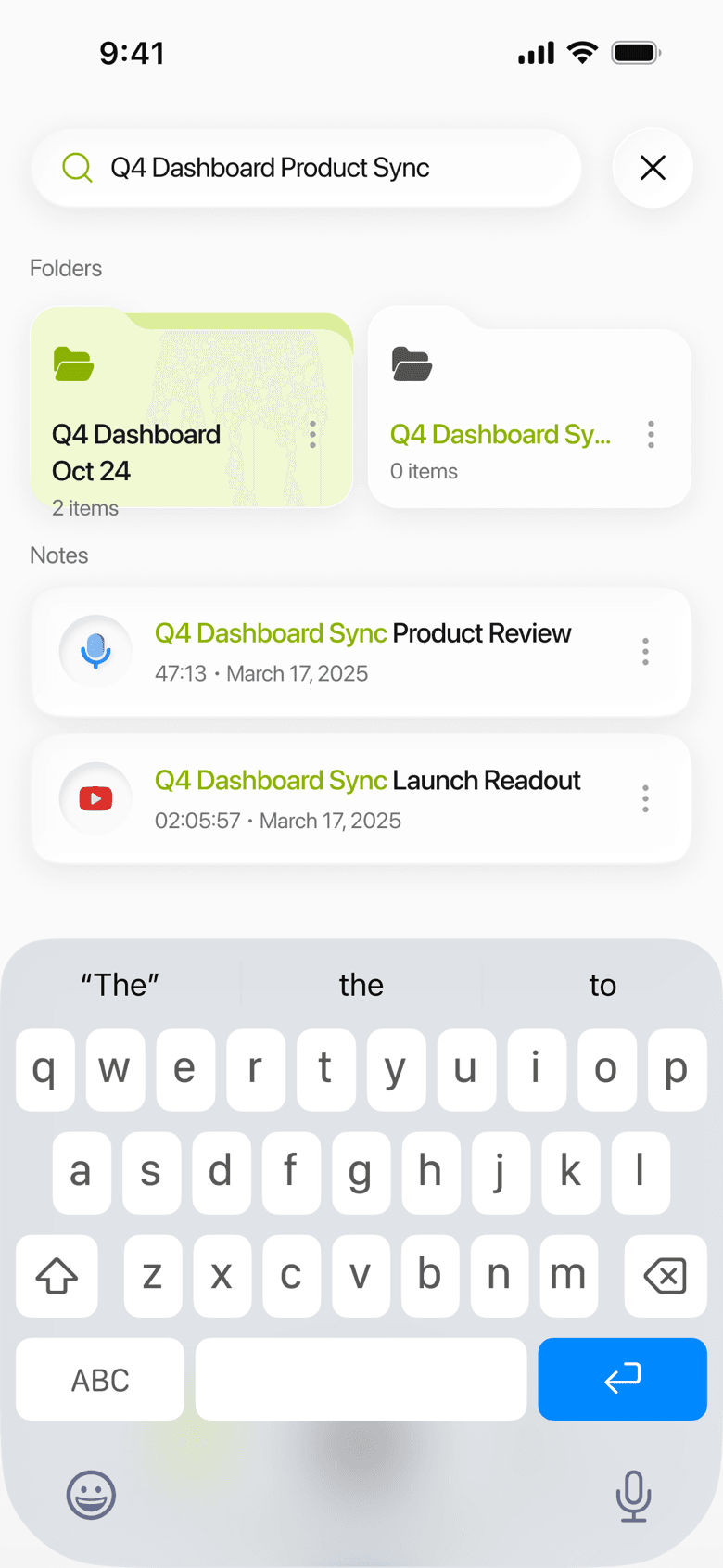
Limemo on iPhone: notes gathered into folders, with a search across them
A term's recordings, in folders you can search when the exam is the thing in front of you.

Frequently asked questions

Where should I put my iPhone to record a lecture?

Flat on the desk, screen up, roughly halfway between you and the lecturer, and start recording before the first slide. Ask first if your course or institution expects you to. A phone on the desk picks up a lecture hall better than a phone in a bag or pocket.

Do I need permission to record a lecture?

Policies differ by institution and by country, and some courses ask you to request permission in advance. Check your university's recording policy and ask the lecturer if you are unsure. This is not legal advice.

Can I transcribe a recorded lecture I was sent?

Yes. Import the video file and Limemo turns it into the same kind of note: transcript first, then the summary format you picked. Course readings in PDF can be imported the same way.

Does it work for a two-hour lecture?

Long classes are the case the recorder is built around: it keeps going through interruptions, and the app treats a recording as something that is never lost even if it is killed while you are still in the room. Nothing in the plan puts a clock on a recording: what ends a long session is the phone's free space, and the recorder watches that while you record — below its floor it ends the recording with a save rather than letting it run out.

What does it cost after the free trial?

The subscription terms at the foot of this page show the current price, the billing interval, how the free trial ends and how to cancel. Billing runs through the App Store, so you cancel in Settings rather than in the app.

See plans and start your free trial

Coming soon