
One tap, before the thought is gone
Raise your wrist, open Limemo or tap its watch widget, and you are recording. Your iPhone can stay in a pocket or a bag the whole time.
Apple Watch
Press record on your wrist with your phone still in your pocket. The recording transfers itself, and the note waiting on your iPhone has the transcript, the speaker labels and the summary format you picked.
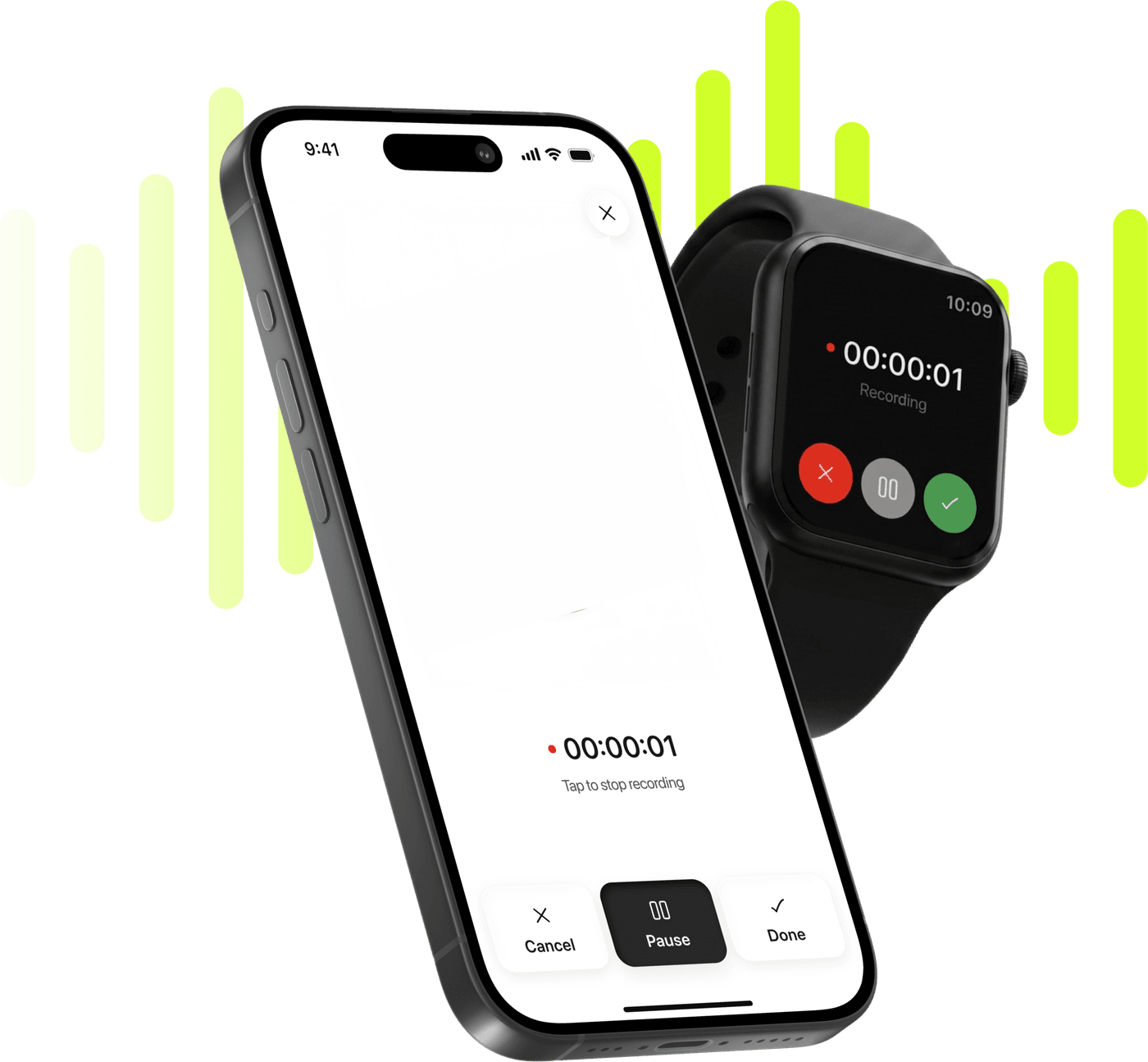
Record, transcribe and summarize on iPhone and Apple Watch.
Free to try. Cancel anytime. *
Raise your wrist, open Limemo or tap its watch widget, and you are recording. Your iPhone can stay in a pocket or a bag the whole time.
An interruption, an app kill or a transfer that stops halfway leaves the audio waiting, not gone.
A watch recording reaches your iPhone and is transcribed like any other Limemo recording, so a corridor conversation comes back as text with each voice marked separately.
Brief, Executive, Key KPIs, Memo, Standard, Study or Custom — or your own written instructions when none of the seven is what you meant.
Encrypted in transit and at rest, deletable any time. A watch note is handled exactly like one recorded on the phone.
Open Limemo on the watch, or tap its widget, and press record. You do not have to unlock your iPhone, or take it out at all.
When you stop, the audio is handed to Limemo on your paired iPhone the next time the two are connected, and becomes a note there.
Once the recording reaches your iPhone it is transcribed and summarized like any other Limemo note. Open the note and the text, the speaker labels and your chosen format are waiting.
Ask the AI a question about the note, translate the summary into another language, or share it to the apps you already use.
Recording happens on the watch. Everything after that — the transcript, the speaker labels, the summary, the translation, the AI you can ask questions — happens once the recording reaches your iPhone, inside the note the recording becomes. The watch is the fastest way to start one, and the phone is where a note gets read, searched and sent on.
Starting one takes a tap. Open Limemo on the watch and press record, or tap the Limemo watch widget and skip the step where you go looking for the app. There is nothing to name, nothing to choose and nothing to unlock first, which is the entire reason the watch is worth using for this: the moment you decide to record is usually the moment you have least attention to spare.
When you press stop, the audio does not travel on its own schedule. It is handed to Limemo on your paired iPhone the next time your iPhone and watch are connected — so a recording made away from your phone sits on the watch, finished and safe, until the two are together again.
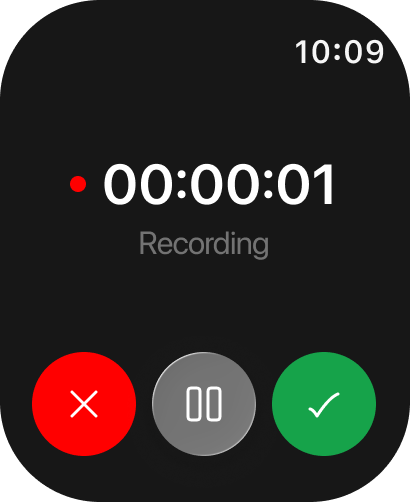
Recordings are kept until they finish transferring, so a dropped connection does not lose the note.
What lands on the phone is a note, not an orphan audio file in a list. It has the transcript, the speaker labels, the summary format you set, and the same folders, search and cross-device sync as everything else in Limemo — so a two-minute thought recorded on a walk is filed the same way as an hour of recording and transcription on iPhone. If you already use Limemo on the phone, there is nothing new to learn on the wrist, which is why the watch app has almost no interface to speak of.
That is what the watch is for: starting the recording, so Apple Watch transcription begins at your wrist and finishes in the note on your iPhone. The audio travels to the copy of Limemo on your phone and the note is waiting there — transcript, speaker labels and summary already done — once it has reached your phone.
None of those are edge cases — between them they cover most of the times an idea arrives, and they all share the same problem: getting the phone out is what costs you the sentence.
Three kinds of use come up most.
Limemo is an AI note taker for iPhone and Apple Watch, and the wrist is the half of that pair which catches the things that were never going to get written down.
All three end in the same place: Apple Watch voice notes to text, and then text into whatever you actually needed — a summary in one of the seven summary templates, an email, or the two things you promised someone you would do. It is the same path as turning a voice memo into text or taking meeting notes without a bot — the wrist just changes where the recording starts.
Encrypted in transit and at rest, deletable any time. That covers a watch recording exactly as it covers one made on the phone: the same note store, the same handling, the same delete.
A recording that has not transferred yet is still only on your own watch, and deleting a note takes its audio, its transcript and its summary out of your account together, whichever device it started on. What is encrypted and where the processing happens are set out in how Limemo handles your recordings.
Limemo for Apple Watch needs watchOS 10 or later, on a Watch paired with an iPhone running iOS 17 or later. Those are the app's own minimums. Which Watch models that covers is on the App Store listing, which always carries the requirement for the build you are about to install.
Recording happens on the watch itself, so you can start and finish one with your phone in a bag. The transfer is the part that needs both devices: the recording moves to your iPhone the next time your iPhone and watch are connected, and it waits on the watch until then. Nothing is transcribed before it arrives.
The watch app hands the finished audio to Limemo on your paired iPhone, which creates the note and starts the transcription. The audio is kept until that hand-off finishes, so a connection that drops halfway delays the note instead of costing you it. If a recording has not appeared yet, bring the two devices back together.
Yes. Limemo ships a watch widget alongside the watch app, so a recording can start from the widget instead of from the app. Both routes make the same kind of recording and both hand it to your iPhone the same way, so use whichever one your wrist finds first.
Yes, because by the time either of those happens the recording is on your iPhone. Once it has arrived it is treated exactly like a phone recording: a transcript with speaker labels, the summary template you picked, translation of that summary, and AI chat over the note. There is no thinner watch version of a note.
Yes. The watch app is part of Limemo rather than an add-on, so there is nothing extra to buy and no plan that leaves it out, and the free trial includes it. The block on this page shows the current price, the billing interval, how renewal works and how to cancel.