
Find what someone said about a topic
The question you would otherwise answer by scrubbing a timeline for four minutes: what did they say about the deadline?
Ask the AI
You remember that somebody said it. You do not remember when. Ask the question in plain words and the answer comes back from the transcript of that recording.
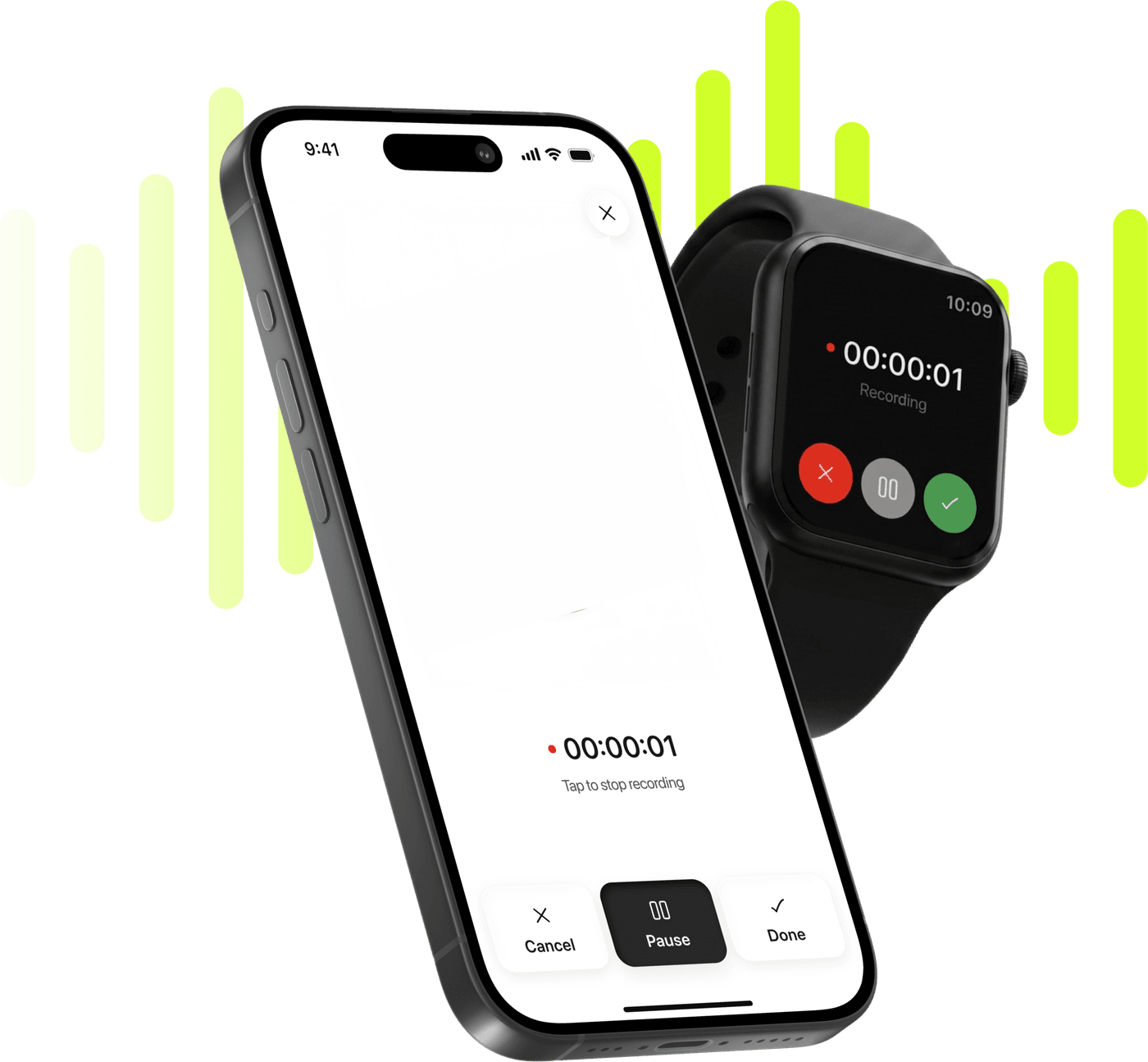
Record, transcribe and summarize on iPhone and Apple Watch.
Free to try. Cancel anytime. *
The question you would otherwise answer by scrubbing a timeline for four minutes: what did they say about the deadline?
Three of the four suggested questions do exactly that, in one tap — and typing your own gets the detail a summary did not think mattered.
A term you did not catch in a lecture, or a sentence that only makes sense with the ten minutes around it.
One of the four suggested questions writes the email for you: a recap, the decisions, the action items and the open questions, ready to edit.
Any note with a transcript — a recording you made or a file you imported.
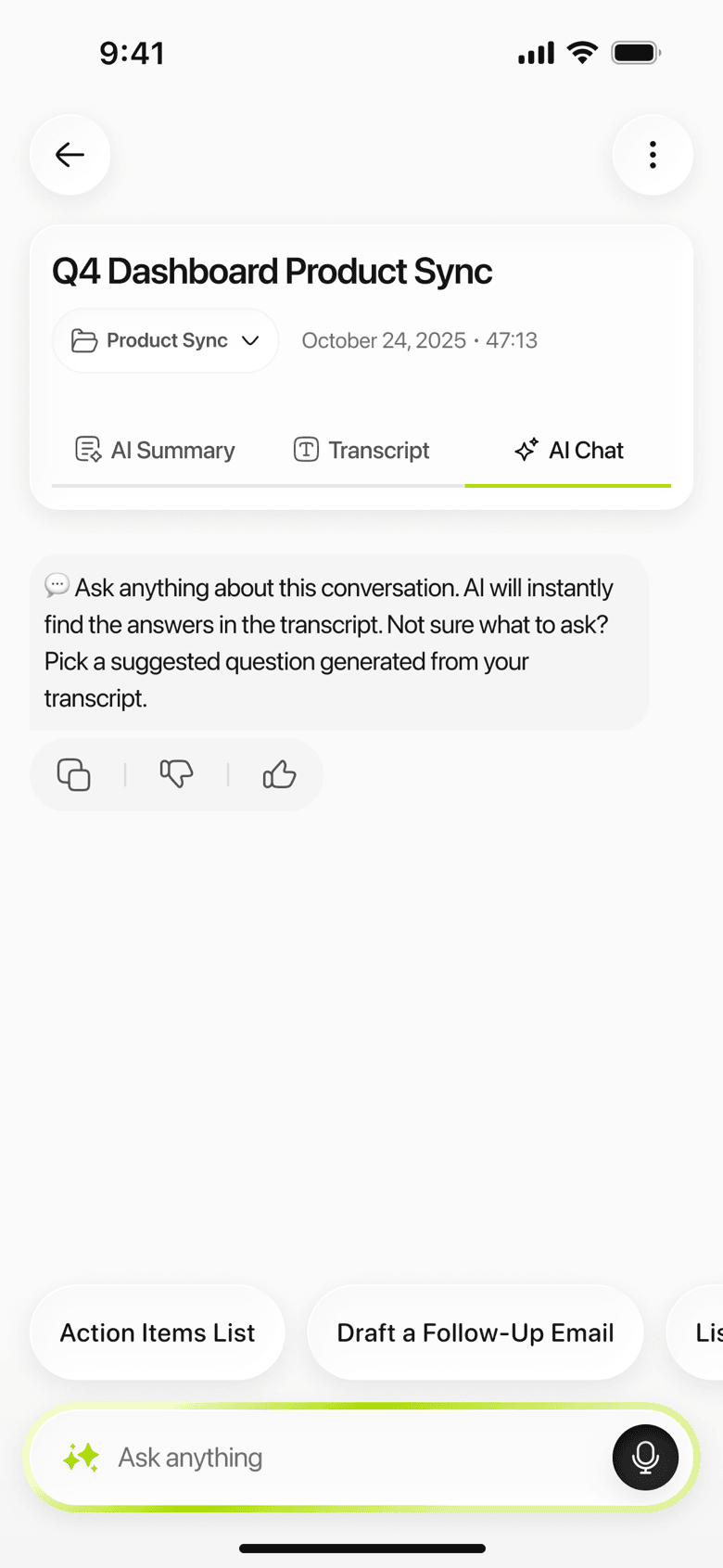
Type the question the way you would say it, or start from one of the four suggestions: action items, key decisions, open questions, or a follow-up email.
The answer streams in as it is written. Ask the next question in the same thread — the conversation stays with the note.
There is a specific moment this feature is built around. You sat through the meeting. You have the summary. And now somebody asks the one thing the summary left out — did they commit to the date, or did they say they would check? — and your options are to rewatch, to guess, or to ask.
That is the question the chat answers. Not “summarize this”, which the summary formats already do, but the follow-up you only have after you have read the summary.
Every note has one: a recording you made, an audio or video file you imported or a PDF you brought in. The conversation stays with the note, so coming back a week later you can see what you already asked instead of asking it again.
The chat answers from the transcript of that one note. Not from the internet, not from general knowledge, and not from your other recordings.
This is worth being precise about, because “AI chat” usually means the opposite. The chat is wired to one note: every question it answers is asked against that note’s transcript, and nothing reaches across to your other recordings. Ask what your client said about pricing on Tuesday and it has exactly the material it needs.
The four suggested questions are the same on every note — action items, key decisions, open questions, and a follow-up email — because those are the four things people ask of a meeting. They are a starting point rather than a menu: the useful questions are usually the specific ones you type.
One note at a time. There is no whole-library chat, no “ask across my meetings”, and we are not going to imply otherwise: each note carries its own conversation, and the way to work across several is to find the right note first.
The answers come from the transcript, so a name the transcript got wrong is a name the answers will get wrong. On a recording you made or uploaded, renaming the speakers applies everywhere in the note at once and is worth doing before you start asking.
Two situations, both of them the same shape: a recording long enough that finding a detail is the problem, not understanding it.
A meeting somebody has to be told about. You take the Executive summary for the minutes, and then use the chat for the questions that come back — who was going to send the contract, was the number quarterly or annual, did anybody actually object. Each of those is a ten-second question and a four-minute scrub. In-person meetings walks through the whole flow.
A lecture before an exam. The Study summary gives you the structure; the chat handles the bits you half-remember. What was the example he used for the second case? That question is unanswerable from notes and trivial from a transcript. Recording lectures on iPhone covers the term-long version of this.
Not a replacement for reading the part that matters. For anything you will be held to — a number you are about to forward, a commitment you are about to act on — the transcript is right there, and the audio is underneath it. An answer is a shortcut to the right place, which is its whole value, and checking the place itself takes seconds.
Not a search engine for your library. One note, one conversation.
No. The answers come from the transcript of the note you are looking at. Ask something the recording does not cover and there is nothing for it to draw on — that is the trade you are making, and it is the right one for notes: an answer about your meeting should come from your meeting.
No. The chat belongs to one note, and each note has its own. There is no library-wide question, so a query that spans three meetings is three conversations. Search across notes is the tool for finding which note to open.
The chat works on the transcript, which is in the language of the recording. If you need the content in another language, translating the summary is the reliable route — that is what it exists for, and the transcript stays as it was spoken.